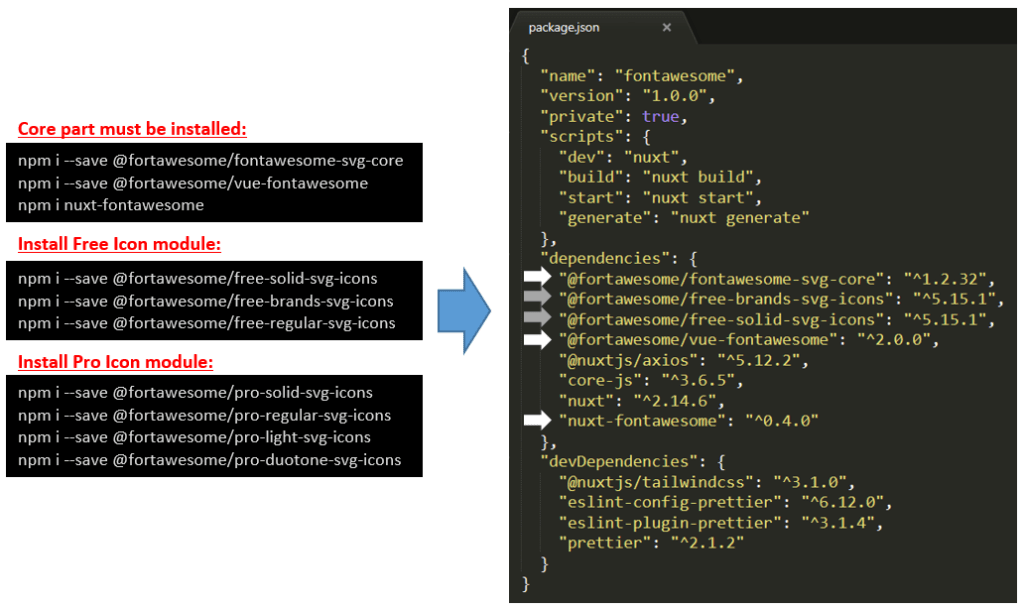
You can refer module’s version from the capture below:
Installation:
These 3 modules must be installed to use Fontawesome in Nuxt.js: “vue-fontawesome”, “fontawesome-svg-core” and “nuxt-fontawesome”. You need “nuxt-fontawesome” module so you can import some (or all) svg icon from nuxt.config.js modules. Installation command using npm:
npm i --save @fortawesome/fontawesome-svg-core
npm i --save @fortawesome/vue-fontawesome
npm i nuxt-fontawesome
Fontawesome has a package structure divided by the availability (Free or Pro) and by Style (Solid, Reguler, Brands, etc). Let’s say we want to use Free Icon in Brands and Solid packages, so we need to install:
npm i --save @fortawesome/free-solid-svg-icons
npm i --save @fortawesome/free-brands-svg-icons
You can check all modules that you are installed in package.json.
Configuration:
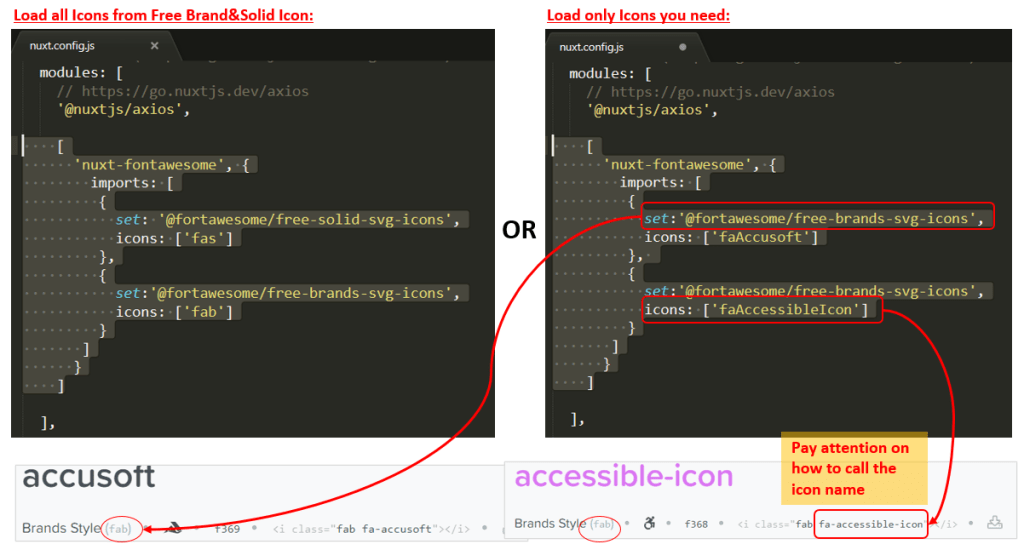
We can load all icons or only some icon(s) that we need from nuxt.config.js:
Load all icons
Below settings will load all icons from Brands and Solid packages:
modules: [
  [
    'nuxt-fontawesome',
    {
      imports: [
        {
          set: '@fortawesome/free-solid-svg-icons',
          icons: ['fas']},
        {
          set:'@fortawesome/free-brands-svg-icons',
          icons: [‘fab’]}
      ]
    }
  ]
],
Load only chosen icons
Let’s say we want to load Free icon from Brand: fa-accusoft and fa-accessible-icon, so we need to set nuxt.config.js module as below:
modules: [
  [
    'nuxt-fontawesome',
    {
      imports: [
        {
          set: '@fortawesome/free-brands-svg-icons',
          icons: ['faAccusoft']},
        {
          set:'@fortawesome/free-brands-svg-icons',
          icons: [‘faAccessibleIcon’]}
      ]
    }
  ]
],
Template:
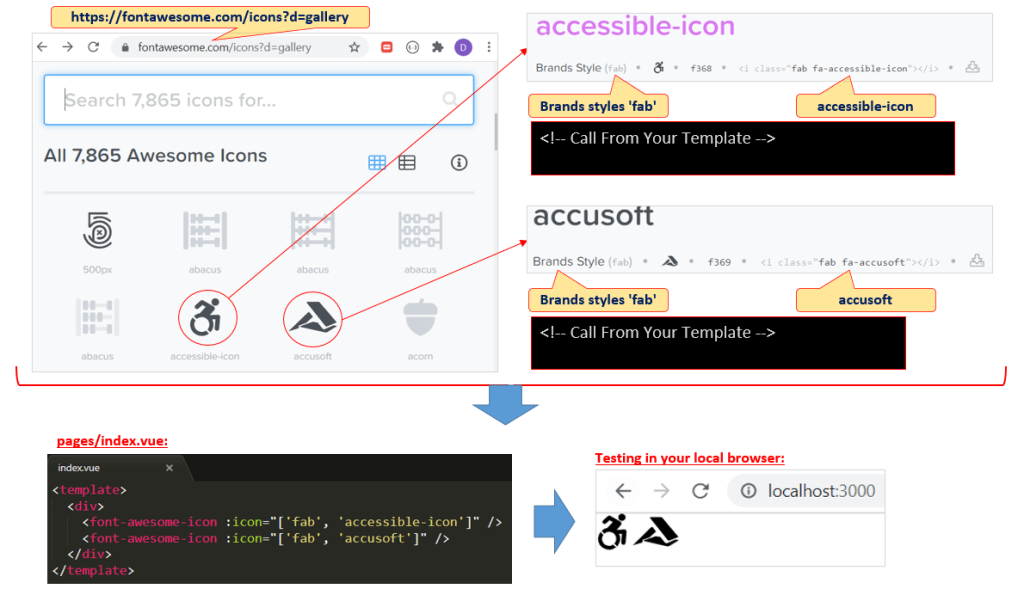
Now we are ready to add icons in our Vue template (example: pages/index.vue):
Icons
 Software Technology